
The right access for every person in your business
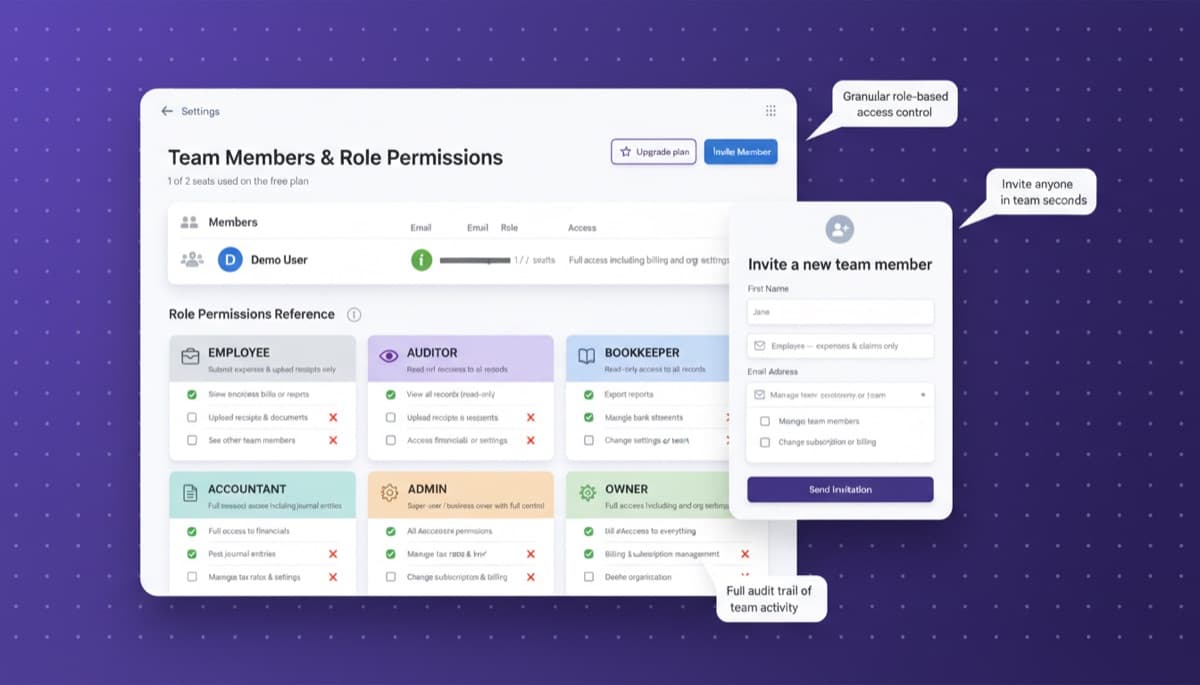
Invite employees, contractors, and your accountant. Assign roles that control exactly what each person can see and do. Full audit trail keeps everything accountable.
Internal fraud costs businesses an...
Note.now insight
Multi-user access without the security risk
Team & Organization
Role-based access that keeps sensitive data protected
Not everyone in your business needs to see every number. Note.now ships with four standard roles: Admin (full access), Accountant (full accounting access, no user management), Manager (approve expenses and view reports), and Employee (submit expenses only). Each role has a clearly defined permission set. For Business plan users, custom roles can be created with granular control over each module.
Get started free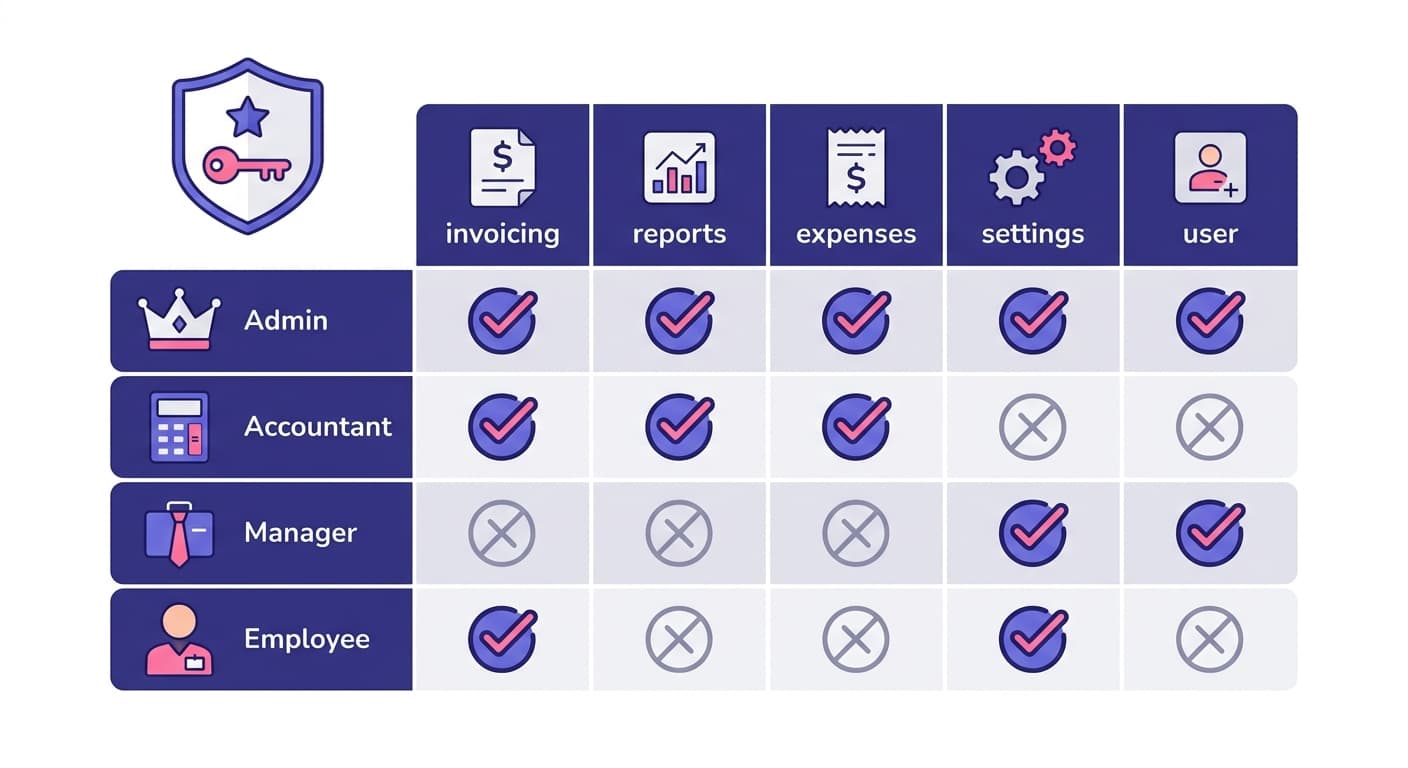
Team & Organization
Audit trail that answers every "who changed that?" question
Note.now logs every create, edit, delete, and approval action with the user's name, timestamp, and IP address. The audit log is tamper-proof and searchable. If a transaction was edited, you can see the before and after values. If a user approved an expense, that is recorded permanently. This level of accountability is essential for businesses subject to internal controls or external audits.
Get started free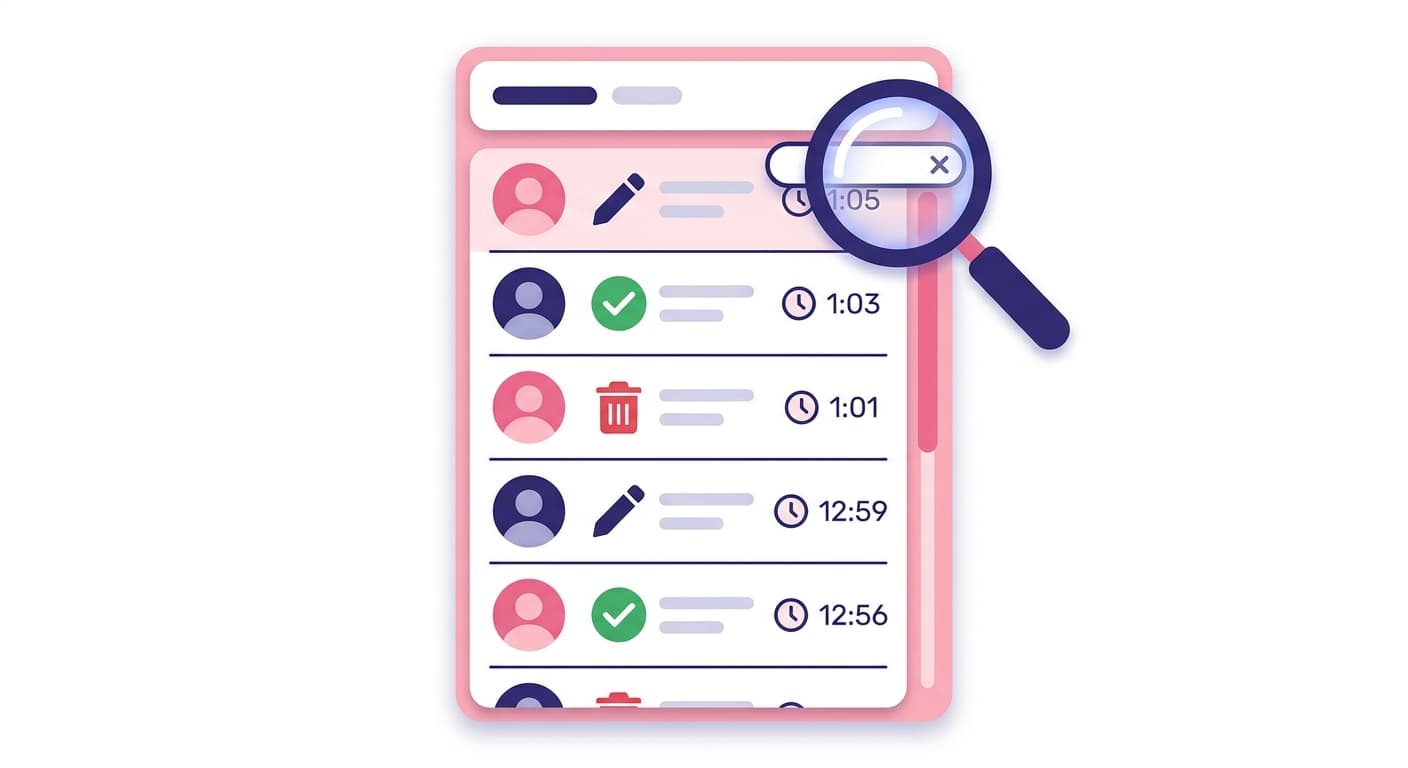
Team & Organization
Invite your accountant or bookkeeper for free
Accountant access is always free in Note.now regardless of your plan. You can invite your accountant with a dedicated role that gives them full access to the ledger, reports, and reconciliation tools, but prevents them from changing user permissions or account settings. Your accountant can post journal entries, run financial reports, and work directly in the live system — no data exports required.
Get started free
Team & Organization
Multi-entity management from a single login
If you operate multiple legal entities - subsidiaries, joint ventures, separate brands - Note.now Business plan lets you manage all of them under a single login. Switch between entities instantly. Each entity has its own chart of accounts, bank connections, and reports, while consolidated views are available for group-level reporting. Intercompany transactions can be recorded and eliminated for group consolidations.
Get started free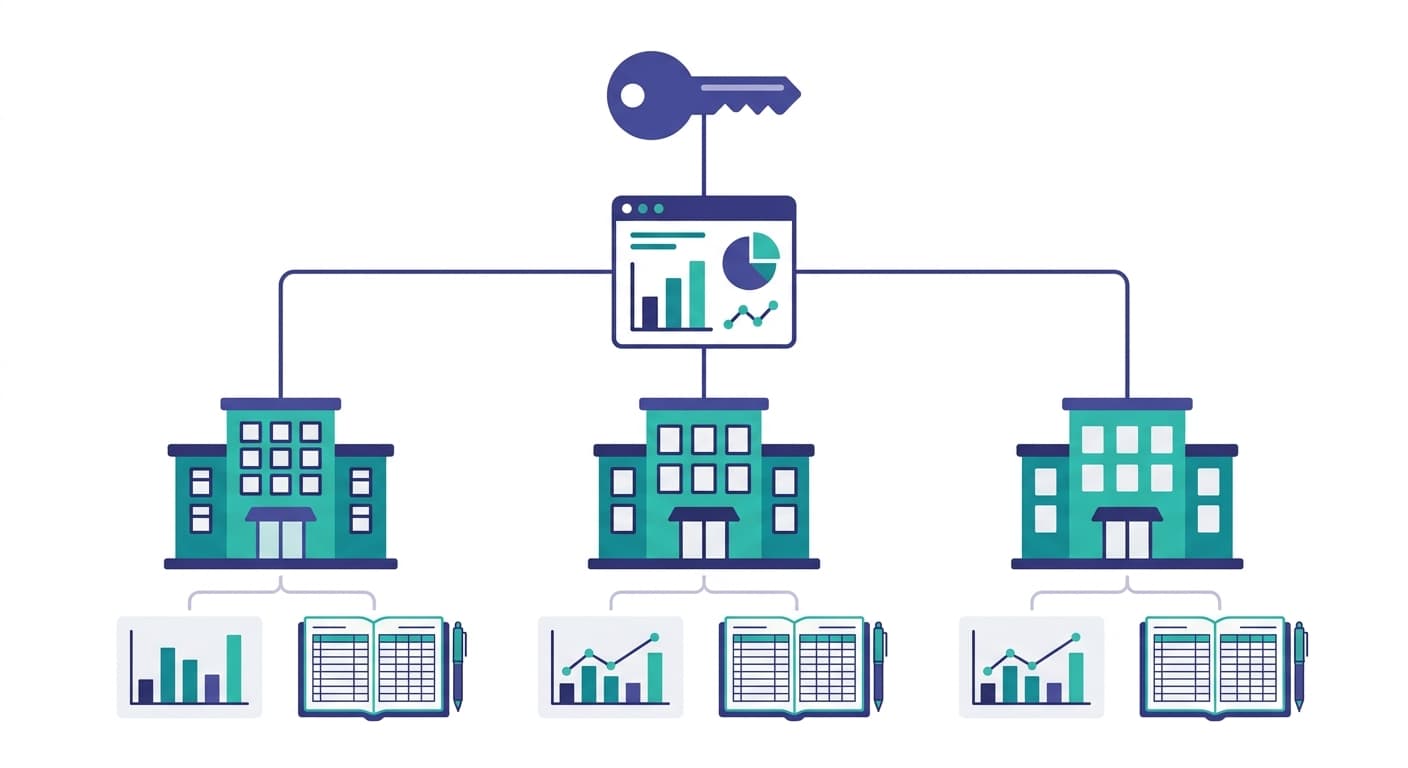
Internal controls that protect your business and your books
“Internal fraud costs businesses an average of 5% of annual revenue according to the ACFE”
Most fraud is enabled by weak internal controls - specifically, the absence of segregation of duties and audit trails. Role-based access and a complete audit log are the foundation of fraud prevention.
“Finance teams that give accountants direct system access close their books 2 days faster per month”
When accountants work directly in the live system rather than importing spreadsheets, errors are caught in real time and the back-and-forth of data exchange disappears.
Set up team access and permissions in minutes
Simple steps. Lasting results. No accounting knowledge required.
Invite team members and assign roles
Enter an email address and select a role. Note.now sends an invitation email. When they accept, their access is immediately restricted to their role's permissions.
Team members work within their scope
Employees see only the expense submission module. Managers see reports and approvals. Accountants see the full ledger. Each user's view is tailored to their role.
Review the audit trail at any time
Open the audit log to see a complete, chronological record of all activity. Filter by user, date, or action type. Export it for compliance or investigation purposes.
Team and permissions feature set
Frequently asked questions
Can I restrict a user to only one part of Note.now - for example, invoicing only?
Yes. Business plan users can create custom permission sets that enable or disable access to specific modules (invoicing, expenses, reports, banking, payroll, etc.) for any user. This is useful for sales staff who create quotes and invoices but should not see cost or payroll data.
What two-factor authentication methods does Note.now support?
Note.now supports TOTP-based authenticator apps (Google Authenticator, Authy, etc.) and SMS-based 2FA. Admins can enforce 2FA for all users on the account - making it mandatory rather than optional. Enterprise plan customers can connect SSO via SAML 2.0 for integration with identity providers like Okta or Azure Active Directory.
How does multi-entity management work for consolidated reporting?
Each entity has its own independent accounting environment - separate chart of accounts, bank accounts, and reports. The Business plan includes a consolidated P&L and Balance Sheet that aggregates across entities in your chosen base currency. Currency translation differences are handled automatically. Intercompany eliminations are supported for groups that need fully consolidated accounts.
Get started today
Ready to try Team & Organization?
Join 10,000+ businesses that run their accounting on Note.now. Start your free 7-day trial - no credit card needed.