
Bank Reconciliation: A Step-by-Step Guide
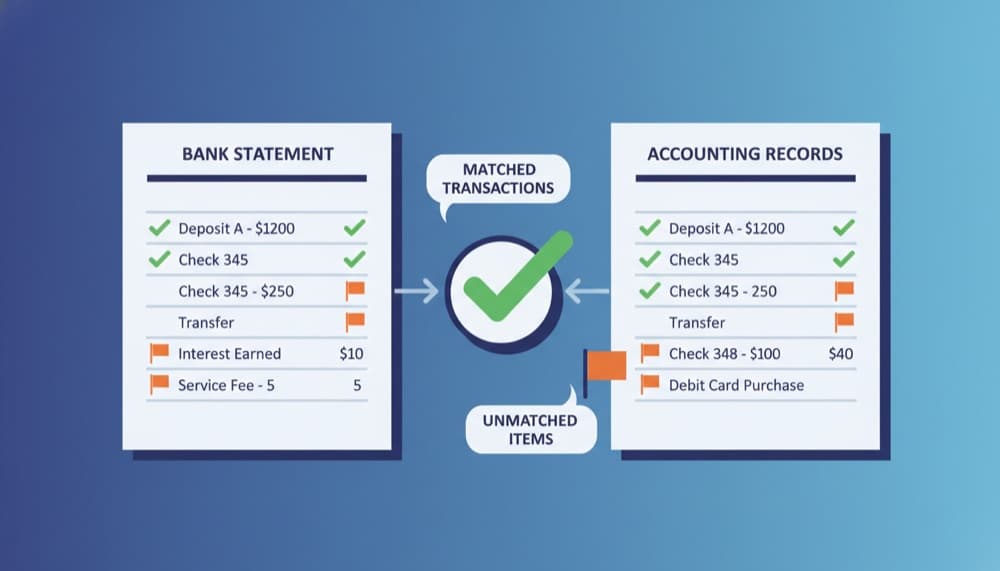
Bank reconciliation is the process of matching your accounting records to your bank statement to ensure they agree. It is one of the most important financial controls in any business. Without regular reconciliation, errors, duplicate entries, and even fraud can go undetected for months.
Why Bank Reconciliation Matters
The balance in your accounting software and the balance in your bank account will almost never be exactly the same at any given moment. Payments you have recorded may not have cleared. Deposits may be in transit. Bank fees may not be recorded. Reconciliation explains every difference and ensures your books are accurate.
Errors caught by reconciliation
Duplicate entries, transposition errors (recording $1,890 instead of $1,980), missed transactions (a bank charge you forgot to record), and incorrect amounts are all caught when you reconcile. Without it, these errors accumulate silently.
Fraud prevention
Regular reconciliation is one of the simplest fraud prevention tools. If an unauthorized payment goes out, reconciliation surfaces it quickly. Most small business fraud is discovered through bank reconciliation - often delayed because reconciliation is done infrequently.
Key Takeaway
Reconcile monthly at minimum; weekly for high transaction volumes. The longer the gap, the harder it is to find and fix discrepancies.
Step-by-Step: How to Reconcile a Bank Account
Bank reconciliation follows a consistent process. Once you understand it, it becomes routine - especially with accounting software that automates most of the matching.
Step 1: Gather your statements
Get your bank statement for the period (e.g. October 1–31) and open your accounting software to the same period. Your goal: match every bank statement transaction to an entry in your books.
Step 2: Compare opening balances
Your accounting opening balance for the period should match the bank statement opening balance. If they do not, you have an unresolved issue from the previous reconciliation.
Step 3: Match transactions
Go through your bank statement line by line. For each transaction, find the matching entry in your accounting records. Modern software does this automatically - it suggests matches based on amount, date, and reference. You review and confirm.
Step 4: Resolve differences
Transactions in the bank not in your books: record them (bank charges, interest, direct debits you missed). Transactions in your books not in the bank: outstanding items - payments sent but not cleared, or deposits in transit. These are normal.
Step 5: Confirm the balances agree
When all differences are accounted for, your adjusted book balance equals the bank statement balance. Accounting software shows a reconciliation summary highlighting any remaining difference.
Bank reconciliation summary
Bank statement closing balance:       $24,850
Less outstanding checks (not cleared): ($3,200)
Plus deposits in transit:              $5,100
─────────────────────────────────────
Adjusted bank balance:                $26,750

Accounting records balance:           $27,250
Less bank charges not yet recorded:     ($500)
─────────────────────────────────────
Adjusted book balance:                $26,750

Difference: $0  Reconciled.
Bank Reconciliation with Accounting Software
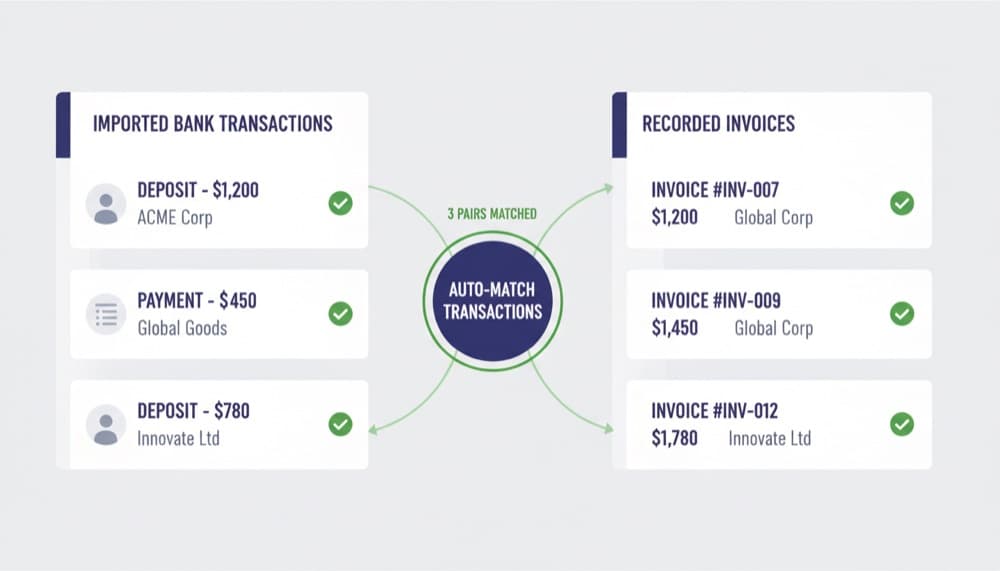
With modern accounting software like Note.now, reconciliation is dramatically faster. Bank feeds import transactions automatically every day. Smart matching pairs bank transactions with recorded invoices, bills, and expenses. High-confidence matches are batched for one-click approval; only exceptions need manual review.
Reconciliation rules and automation
Set rules that automatically code recurring transactions - like your monthly Slack subscription or payroll direct debit. Once set, those transactions reconcile automatically every month.
Key Takeaway
Businesses using automated bank feeds cut their monthly reconciliation time from hours to minutes. The setup time pays off within the first month.
Common Reconciliation Problems and Fixes
If your reconciliation does not balance, here are the most common causes.
Duplicate entries
A payment recorded twice shows as an unmatched entry when reconciling. Search your records for the duplicate and delete or void one.
Incorrect amounts
If you recorded $540 but the bank shows $450, the $90 difference appears as unreconciled. Find the original transaction, check the source document, and correct the amount.
Put this into practice with Note.now
Everything covered in this guide is built into Note.now. Try it free for 7 days.
Get started free